Dear players,
In this edition, we'd like to introduce the Report Player and Block Player functions in PUBG MOBILE. To prevent abusive, sexual, and racist messages or unauthorized advertisements from appearing in the game, Ban Pan is constantly reviewing content in the background. In addition, we've added the Report Player and Block Player functions to ensure that players have an enjoyable gaming experience without being bombarded by offensive messages. Players can immediately stop harassment from other players by reporting violators or blocking them entirely. Let's discuss each function individually.
Report Player
- What constitutes offensive messages?
In PUBG MOBILE, offensive messages refer to language containing verbal abuse, sexual abuse, racism, phishing, cheating, or unauthorized advertising. Offensive messages are prohibited from appearing in the avatar, nickname, signature, chat content, clan nickname and profile, and moments. The content review system currently reviews all language types.
- How do I report offensive chat messages?

Step 1: Tap the player's avatar to bring up the Player Action menu.
Step 2: Tap Report Player.
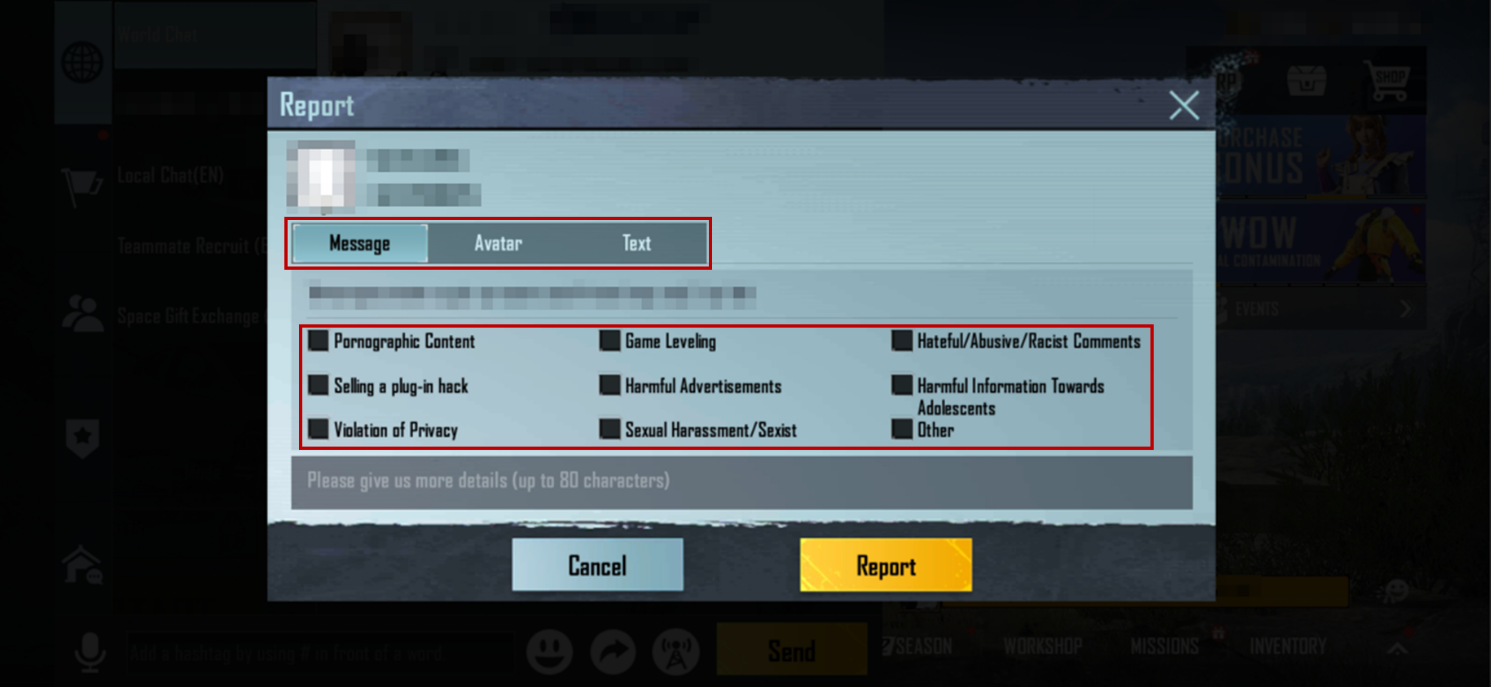
Step 3: Select one of the options in the Report Content section and tap the Report button.
Block Player
- What is Block Player, and when should I block a player?
Block Player is a simple function that enables rule-abiding players to quickly eliminate disruptions to normal gameplay. When a harasser appears and disrupts normal gameplay, players can choose to block them. Blocked players are moved to the Black List. They are unable to contact or harass the player that blocked them in any way.
Tip: Blocking a friend will remove them from the Friend List and add them to the Black List. After unblocking them, a new friend request must be sent and accepted to become friends again.
- How do I block someone?
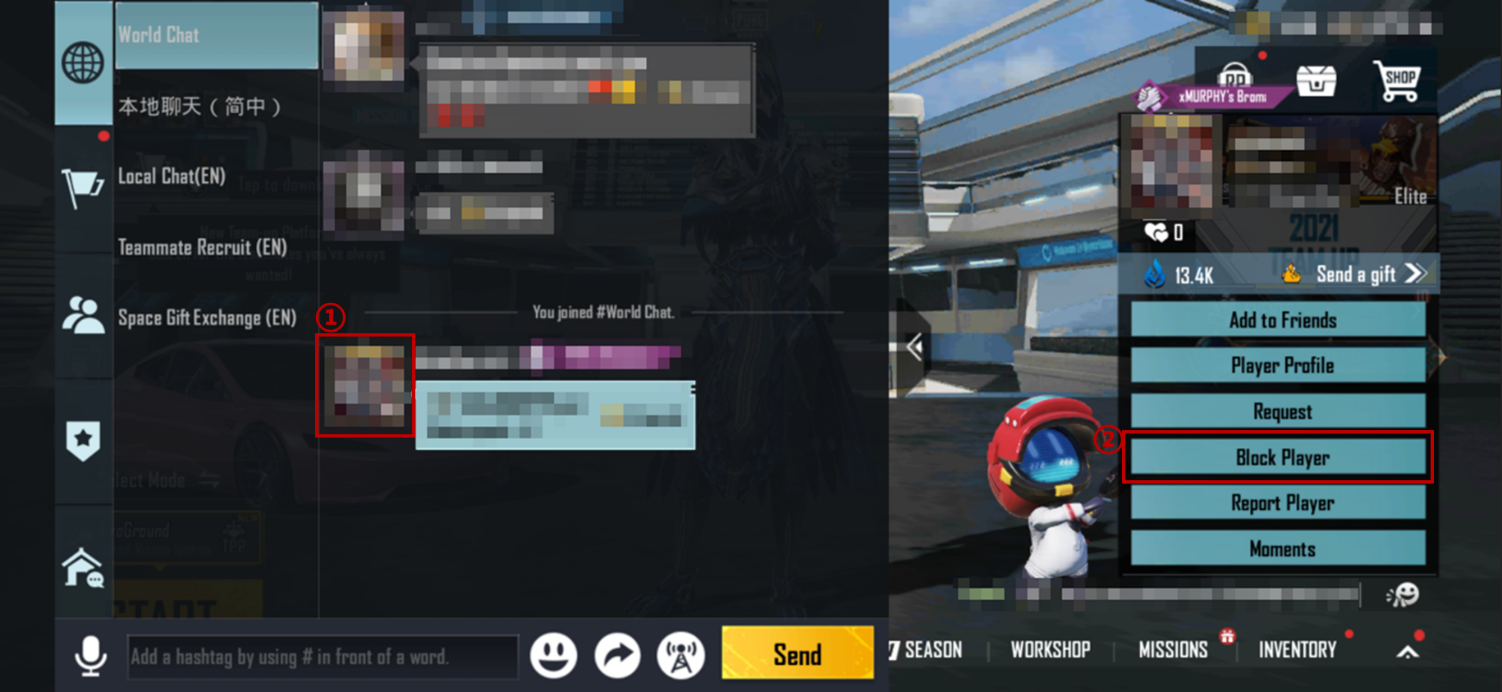
Step 1: In the Chat window, tap the player's avatar to call out the Player Action menu.
Step 2: Tap Block Player. A confirmation window will pop up.
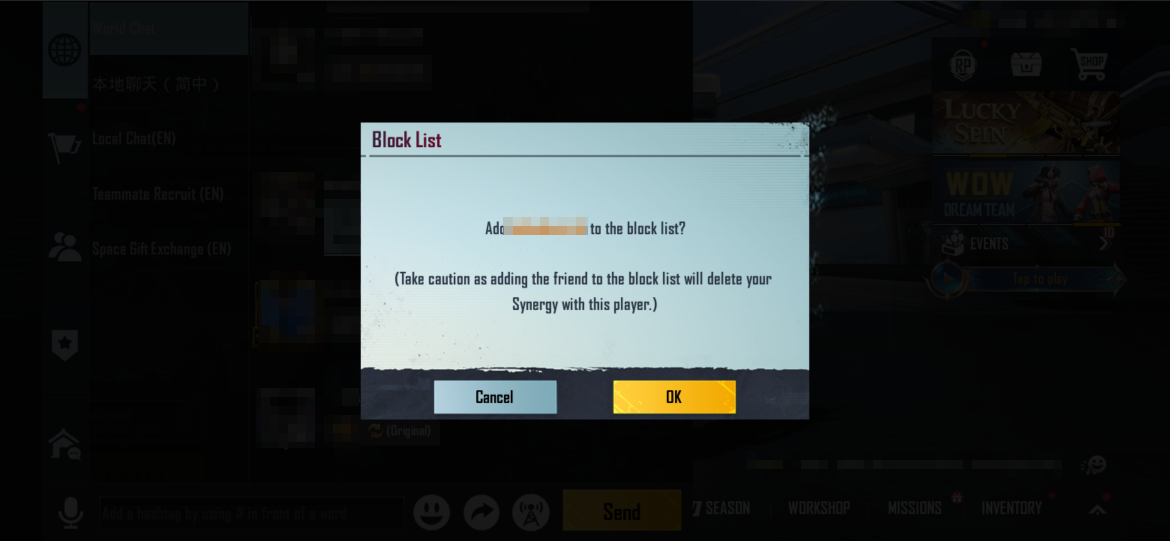
Step 3. Tap OK to block the player. Their name will appear on the Black List.
- How do I make sure that I've blocked someone?
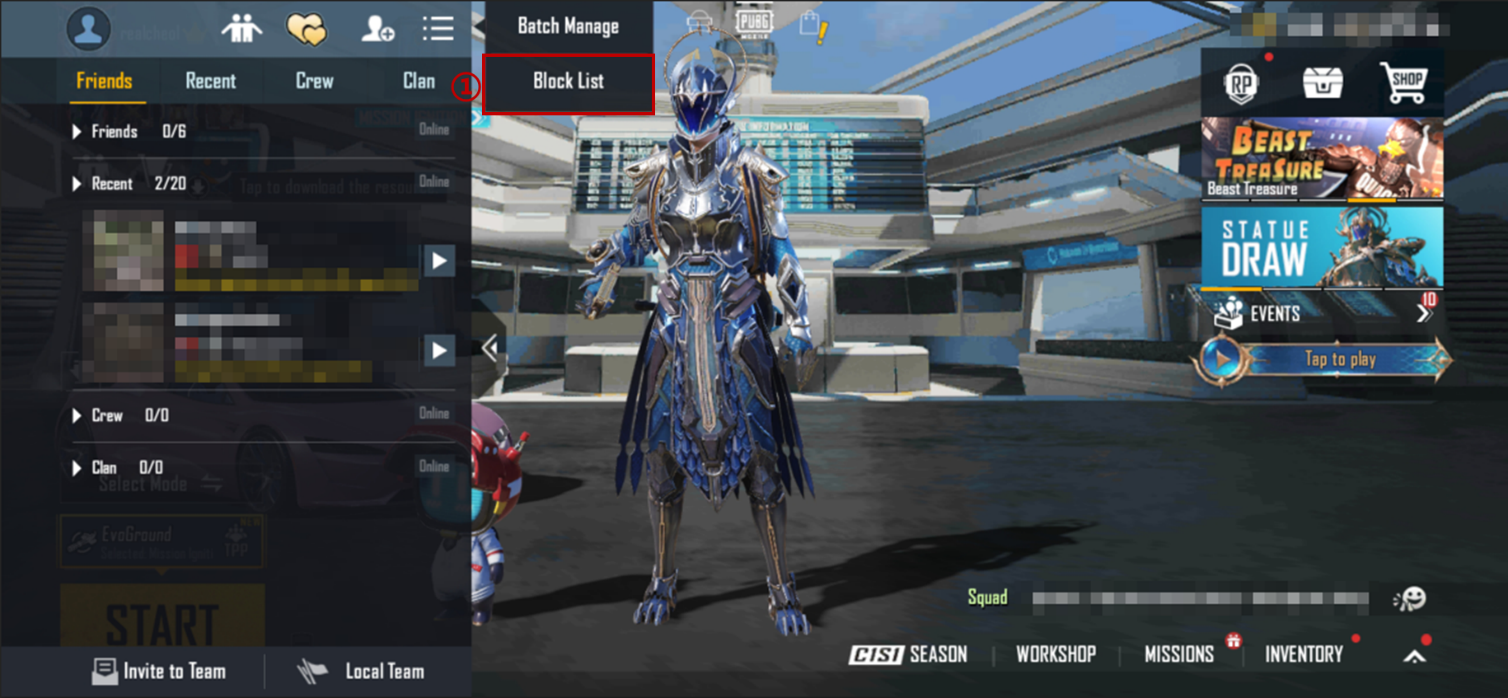
Step 1: Tap the Friends tab, and then tap Black List on the top right.

Step 2. Players that have been blocked will appear in the list.
Tip: You can unblock players in the Black List at any time.
That's the lowdown of the Report Player and Block Player functions. We hope that players take advantage of these functions to block unwanted, offensive messages. We remind players to protect themselves and never disclose personal information in any way, shape, or form.
Justice will be served to those who deserve it!